Table Of Contents
ARP Poisoning
The ARP Poisoning Module is designed as a part of the Slips Immune, where Slips takes down attackers using ARP poisoning in addition to blocking them through the firewall, protecting the rest of the local network before the attacker reaches them.
ARP Poisoning module:
https://github.com/stratosphereips/StratosphereLinuxIPS/pull/1499
https://github.com/stratosphereips/StratosphereLinuxIPS/tree/develop/modules/arp_poisoner
How it works
Slips as an AP
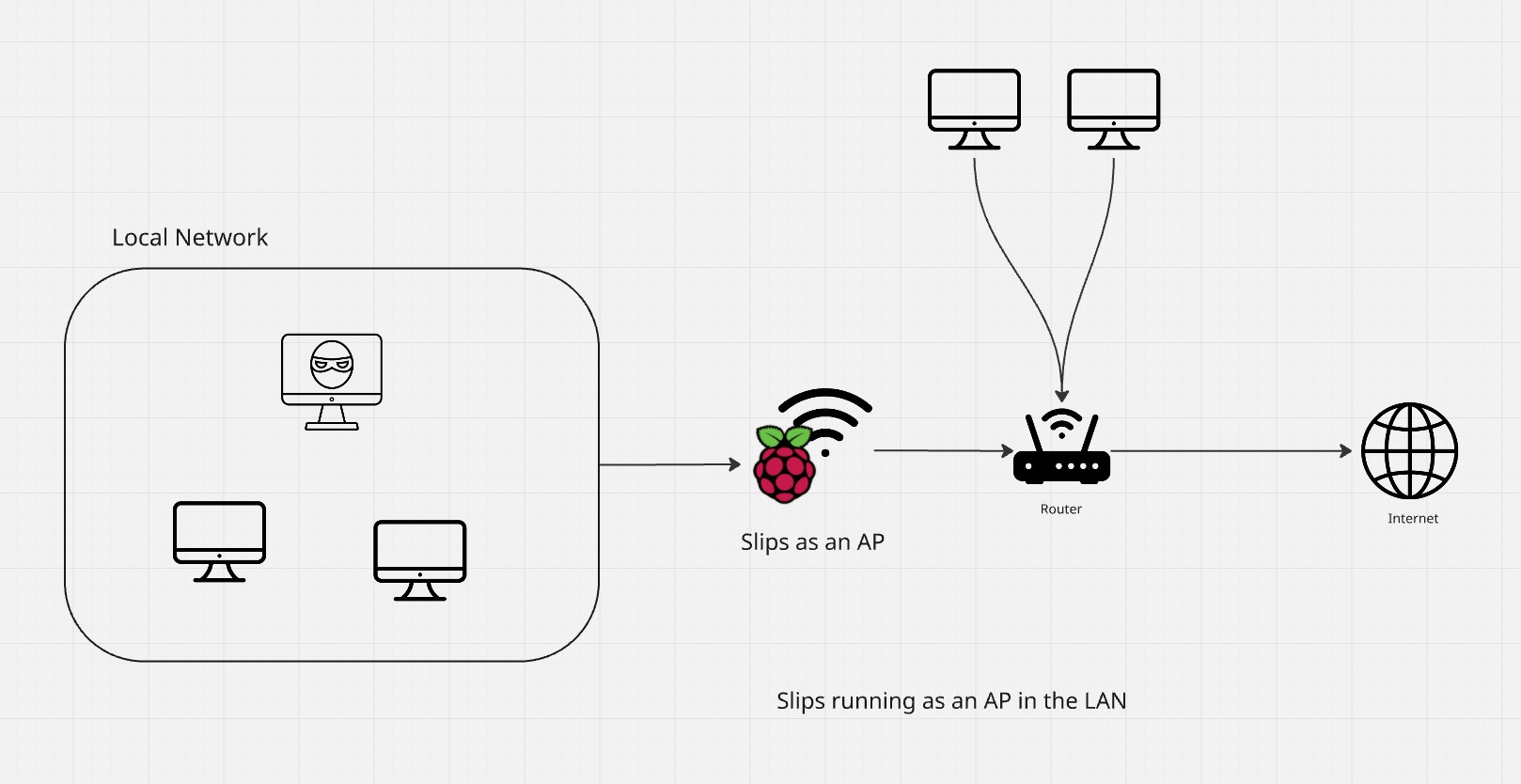
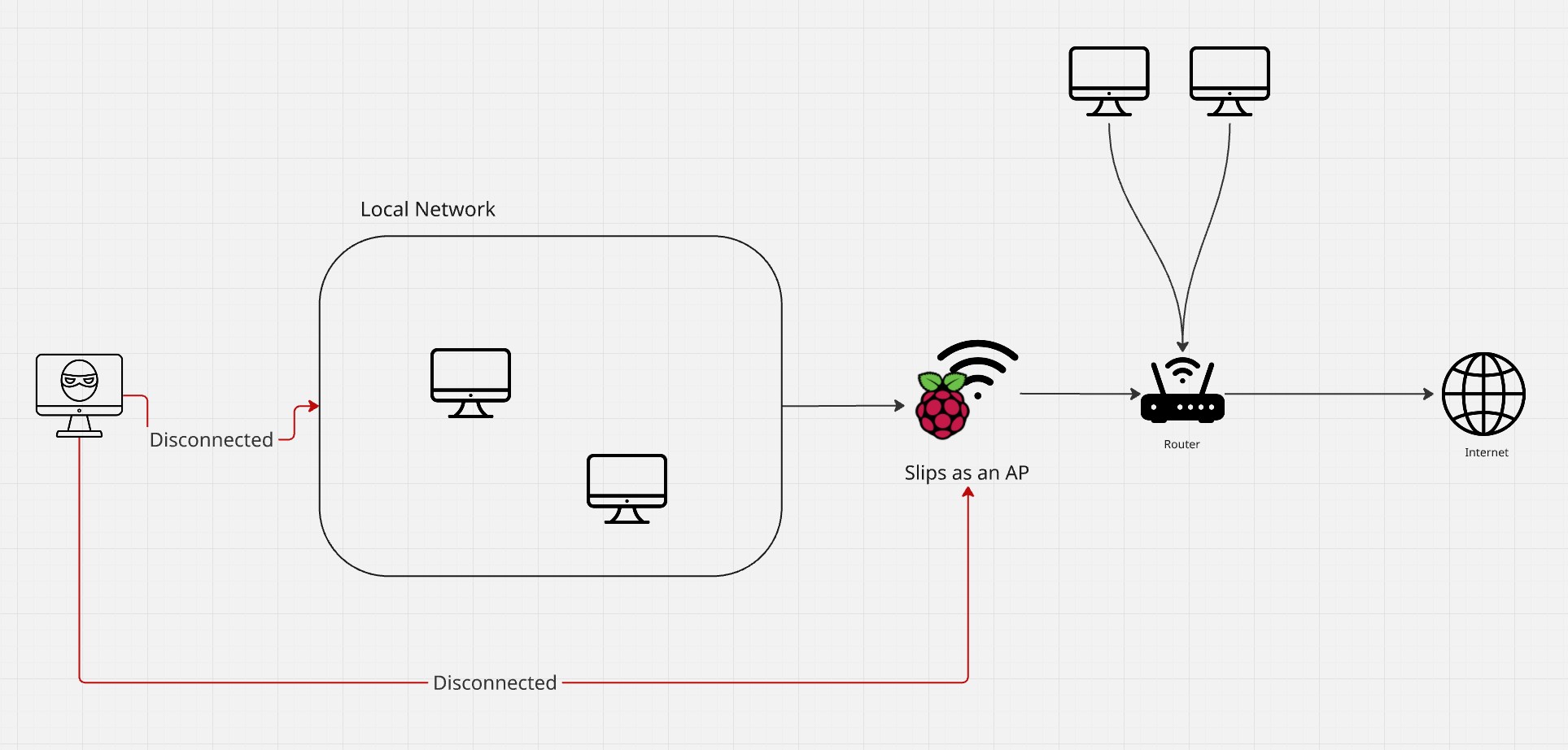
Whether the attacker is connected to the AP on the RPI or connected directly to the router, once Slips detects an alert, it does the following
Cuts the attacker’s internet by sending an ARP request to the attacker announcing the gateway at a fake mac, so it’s no longer reachable.
Isolates the attacker from the rest of the network by sending a gratuitous ARP request announcing the attacker at a fake mac, so it’s no longer reachable by the rest of the network.
Regularly sends ARP replies for all hosts in the network announcing the attacker at a fake MAC so the attacker doesn’t have enought time to reply with its real MAC and be reached by the rest of the network.
These attacks are done in a loop until the blocking period is over to ensure that the attacker stays isolated even after the ARP cache expires.
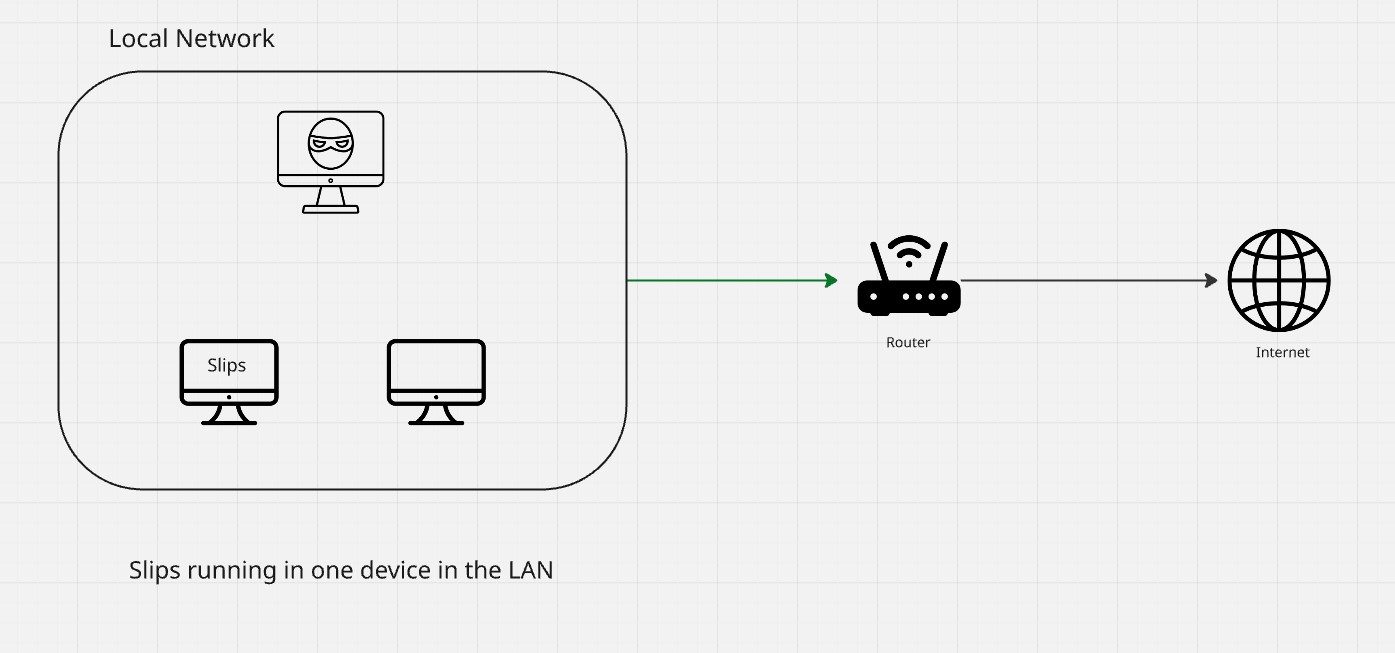
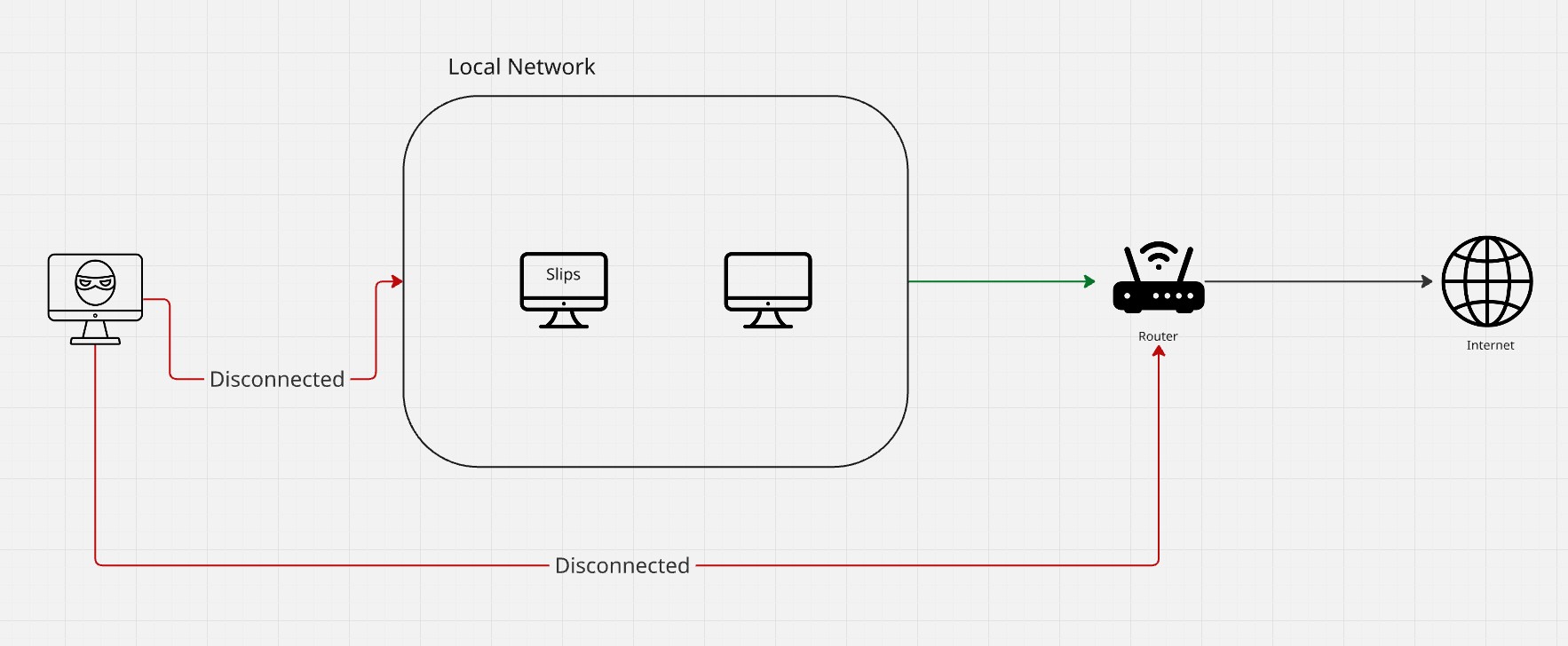
Slips on a host’s computer in the network
Even if Slips is not controlling the AP where the rest of the clients are connected, it can protect the rest of the clients by attacking back the attackers using the same three steps above. And isolating them from the network.
This means that even if one host only is running Slips on the network, the rest of the network will be protected.
Unblocking
Slips doesn’t keep poisoning attackers forever once they’re detected, instead, it implements a probation period of one timewindow. Meaning, it blocks the attacker for the rest of this timewindow and one extra timewindow once an alert is generated, if Slips detects no more attacks during that extra timewindow from this attacker, it unblocks the attacker after the probation period is over. if Slips detects more attacks, it extends the blocking/probation period by one more timewindow.
This way, the more attacks the attacker does, the longer Slips will isolate them.
Once the blocking period is over, Slips stops poisoning the attacker, which restores its internet connection, and stops announcing the attacker at a fake MAC, which allows the rest of the network to reach it.
Blocking and unblocking are tracked in arp_poisoning.log in the output directory.
How to use it
Start Slips docker with admin capabilities to be able to use the blocking modules
docker pull stratosphereips/slips

docker run -it --rm --net=host --cap-add=NET_ADMIN stratosphereips/slips
Run slips on your interface and with -p for blocking modules
./slips.py -i eth0 -p
Once an attacker is detected and poisoned, slips will log it to arp_poisoning.log in your output directory